
Version 1 now available
Visual tools to explain ideas clearly
A growing web library of hand-drawn Sketchplanations visuals you can copy or download straight into your work.
Make complex ideas easier to explain and easier to remember.
267 visuals · One-time purchase · Free updates
30-day money-back guarantee

The problems you're facing
You know what you want to say. But getting it to land is harder, and can be more work, than you'd like it to be.
This kit is for you if:
You're not sure of the best way to get your message to really land
You want people to relate emotionally to your content
Your message is complex and you'd like to help people get it
You're tired of visuals that feel stale, cheesy, or overly "business-y"
You'd like to add a personal, human touch — but drawing isn't your strength
You want to leverage the best of Sketchplanations for your work
You want to bring your content to life
Sometimes the hard part isn't the idea—it's explaining it well.
What this kit is
The Sketchplanations Explainer Kit is a growing web library of clear, approachable, reusable visuals you can copy or download straight into your slides, documents or articles to help your ideas land.
It is designed for people who already know what they want to say, but want help saying it more clearly, memorably, and confidently, without the hassle of drawing.
Use it to:


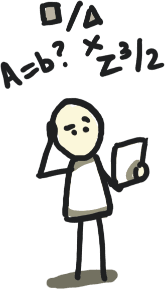
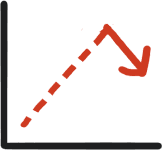
What's included
Everything you need to start creating clearer explanations immediately.
267 visuals and growing
People, icons, metaphors, frameworks and backgrounds, with new visuals added over time at no extra cost
A searchable web library
Browse by category or search by what you want to say, and see the latest additions
Copy or download
Transparent PNGs in full and half size, ready for PowerPoint, Google Slides, Keynote, Figma or Canva
Commercial licence
Use them in client work, presentations, courses, books and websites, and edit them to fit
I thought about the types of visuals that help most in presentations.
Visual types include:
And tons more…
All content is designed to be mixed, reused, and adapted across your talks, workshops, and internal communication. Make it work for you.
Dead simple to use
No learning curve. Just find what you need and drop it in.
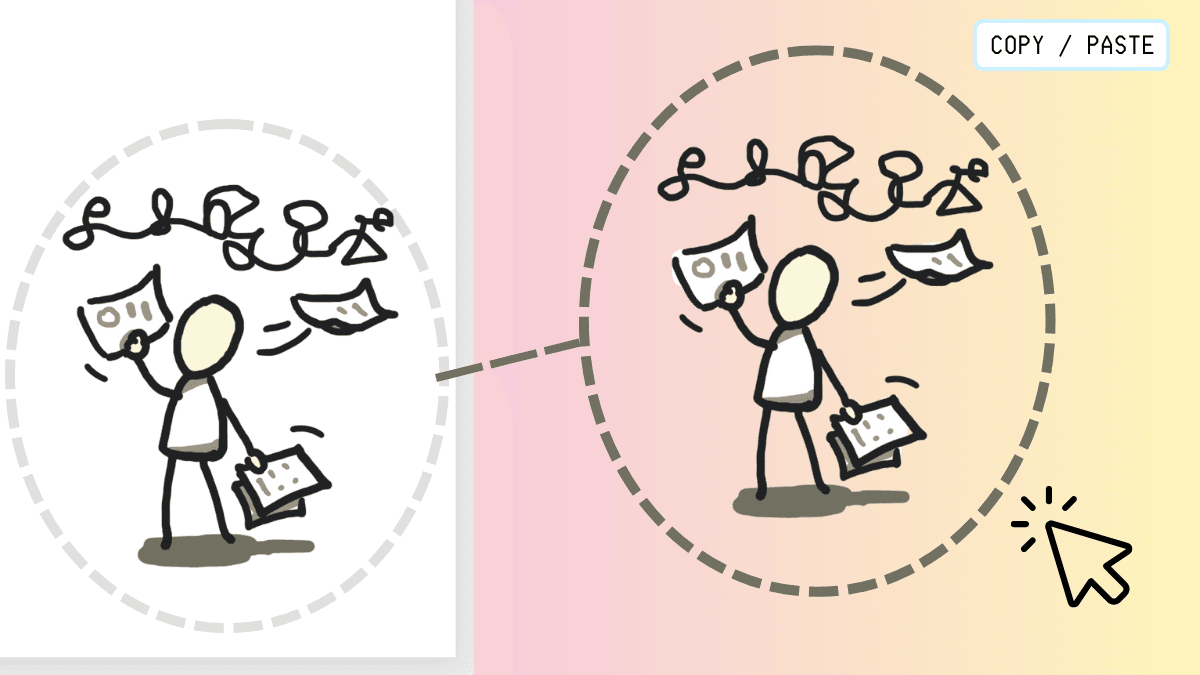
Browse or search the web library
Find people, icons, metaphors, frameworks and backgrounds by category, or search for what you want to say.
Copy or download
Copy a visual straight to your clipboard or download it as a transparent PNG.
Drop it into your work
Paste or drag it into your slides, docs or articles, then mix and resize to suit.
Why this helps your ideas land
Visuals are not just decoration.
The Explainer Kit helps people follow your thinking, not just look at it (or worse, glaze over).
What the Explainer Kit helps you do
Where this comes from
This kit is built on more than a decade of Sketchplanations — a long-running project focused on explaining ideas clearly through simple visuals.
It draws on experience explaining over 1,000 concepts to a large global audience, and on professional work centred on helping ideas land.
FAQ
- How do I get access?
- After you buy, I'll email you the link and password for the web library.
- How is this different from the website?
- The Explainer Kit is a library of high-resolution, presentation-ready elements with transparent backgrounds that you can combine to explain ideas clearly. You can still find individual concept sketches on the website.
- What format do the visuals come in?
- Transparent PNGs, in full and half size. Copy them from the web library or download them, then drop them into slides, documents or design tools.
- Are updates included?
- Yes. New visuals are added to the library regularly at no extra cost.
- Can I use it commercially?
- Yes. Use the visuals in client decks, presentations, courses, books, websites and marketing, and edit them to fit. You can't resell or share the files, use them in logos, or use them to train AI. See the full kit licence.
- Can my team use it?
- Each licence is for one named person. For colleagues or a team licence, email [email protected].
- Can I customise the visuals?
- The kit focuses on ready-to-use PNG visuals that work out of the box. Editable versions may come later based on feedback.
What am I missing? Let me know: [email protected]
Explainer Kit
One-time purchase
- Access to the web library of 267 visuals
- Search, browse, copy or download transparent PNGs
- Free updates as new visuals are added
- Commercial-use licence for one named person
After you buy, I'll email you the link and password for the web library.
30-day money-back guarantee
If you're not satisfied, contact me within 30 days for a full refund.
Important ideas deserve clear visuals
Don't let complexity hide your best thinking. Start creating explanations that stick with the Sketchplanations Explainer Kit.
Get the Explainer Kit for £39